
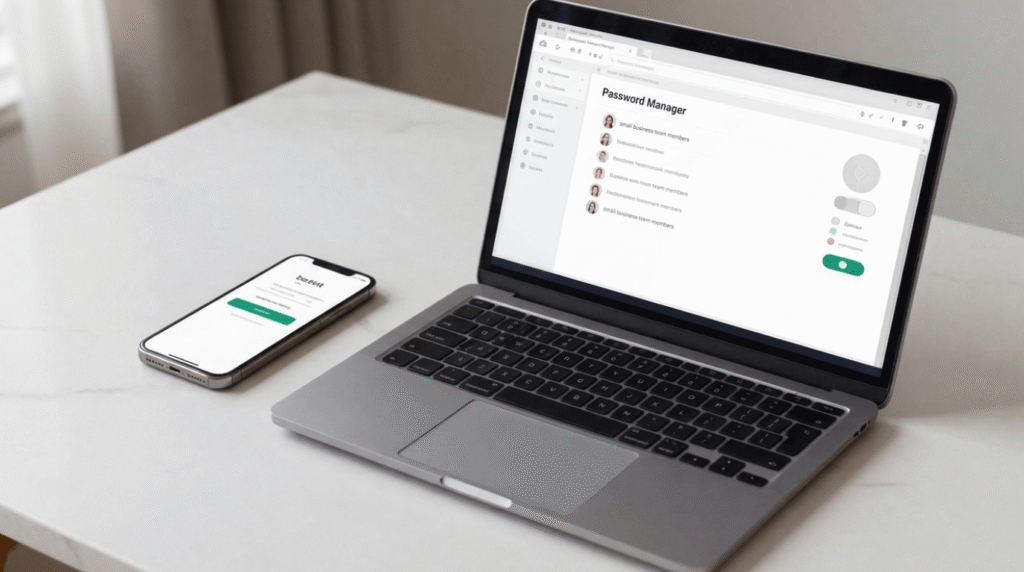
If your business has even one employee, a password manager for teams isn’t optional — it’s the difference between staying in control of your accounts and losing them. Here’s why it starts with trust. It always does.
You hire someone good. Someone you like. Someone you need, because you can’t run the Instagram page, answer the Google reviews, and manage the online store all by yourself anymore. So you do what every overwhelmed small business owner does — you hand them the password. The real one. The one that opens everything.
Weeks go by. Maybe months. And then one day, things go sideways. Maybe they quit without notice. Maybe there’s a falling out. Maybe they just get careless and reuse that password somewhere it gets breached. And suddenly you’re staring at a login screen for your own business, typing in a password that no longer works, watching two-factor codes get sent to a phone that isn’t yours anymore.
I’ve heard this story more than once. A business owner, locked out of the very accounts that keep their lights on, because “just sharing the password” felt like the easy option at the time.
In this breakdown of why every growing team needs a password manager for teams, we’re going to look at how these tools solve this exact problem — letting you hand off access without ever handing off control. Let’s get into it.
Table of Contents
- 1. The Real Problem: Why “Just Share the Password” Is a Ticking Clock
- 2. The Fix: How a Password Manager for Teams Lets You Share Access, Not Control
- 3. The Reality Check: What a Password Manager Won’t Do For You
- 4. The Cost of Doing Business: Is It Worth It?
- 5. The Final Verdict: Protect the Business You Built
1. The Real Problem: Why “Just Share the Password” Is a Ticking Clock
Here’s the thing nobody tells you when you start hiring help: every password you hand out is a little IOU. You’re trusting that person to use it well, protect it, and hand it back cleanly the day they leave.
Most of the time, that works out fine. But “most of the time” isn’t a business continuity plan.
When you share your actual login — the real email, the real password — a few things happen that you probably haven’t thought all the way through:
- You lose visibility. You have no idea if they wrote it on a sticky note, saved it in an unsecured notes app, or reused it on some random site that later got hacked.
- You lose control. If they leave on bad terms, they still have full access until you scramble to change the password everywhere it’s used — including anywhere else you may have reused it.
- You lose the paper trail. If something goes wrong with the account, you have no way of knowing who actually did it, because everyone was logging in as “you.”
And here’s the part that should really keep you up at night: if that employee set up two-factor authentication using their own phone number or email “to make it more secure,” they may have accidentally locked you out of your own account. It happens more than you’d think, and it’s a nightmare to undo.
This isn’t a rare, freak-accident scenario, either. The Cybersecurity and Infrastructure Security Agency (CISA) points out that small and mid-sized businesses are frequent targets for cybercriminals, and weak or shared passwords are one of the easiest ways attackers get into business accounts in the first place. The risk isn’t just an employee walking off with access — it’s that casual password sharing is already a known weak point criminals look for.
2. The Fix: How a Password Manager for Teams Lets You Share Access, Not Control
This is where a proper password manager for teams earns its keep. Instead of handing someone your actual password, you create a shared, permission-based space where you drop your business logins — social media, your Google Business Profile, vendor portals, whatever your team needs to do their job.
Here’s the part that matters most: your employee can log in and use the account, but they never actually see the password. The tool autofills it behind the scenes. They get the access; you keep the keys.
The One-Click Handoff
When someone joins your team, you don’t have to text them a password and hope for the best. You add them to a group and assign them to the right shared folder, and they instantly get exactly the access they need — no more, no less.
The real win: when that same person leaves, you remove them from the group, and their access to every one of those shared accounts disappears immediately. No password reset scramble. No wondering what they still have access to. No spreadsheet of “accounts we need to change.”
3. The Reality Check: What a Password Manager Won’t Do For You
Because I promised you a straight answer here, let’s talk about the catch. Before you commit to a password manager for teams, it helps to know what it won’t fix for you.
A password manager for teams isn’t magic, and it does take a little setup. You’ll need to actually take the time, up front, to add your business accounts into the vault and organize them into shared folders that make sense for your team. That’s an afternoon of work, not a five-minute setup — but it’s an afternoon that pays for itself the first time someone leaves your team cleanly instead of messily.
You’ll also want to go in with your eyes open about what you’re trusting: any tool holding your passwords is a target, so look for one built on zero-knowledge encryption, meaning your data is encrypted and decrypted locally and the provider itself can’t read your stored passwords. Layer on a strong, unique master password and multi-factor authentication for your own account, and you’ve closed most of the realistic gaps.
4. The Cost of Doing Business: Is It Worth It?
Let’s talk numbers, because “peace of mind” doesn’t pay the rent, either.
A password manager built for teams typically runs a modest monthly cost per user — a small fraction of what it would cost you to hire an IT consultant to help you recover a hijacked business account, or the cost of the customers you’d lose if your Google Business Profile or social pages went dark for a week while you fought to get back in.
When you compare what a password manager for teams actually costs against the price of a lockout, the math isn’t close. Weigh that small monthly cost against what it actually costs a small business owner to be locked out of their own accounts — lost sales, lost time, lost reputation.
5. The Final Verdict: Protect the Business You Built
You didn’t build your business so that one shared password could be the thing that takes it down. If you’ve been handing out your real login information and just hoping for the best, it’s worth taking an afternoon to set this up properly.
Give your team the access they need to do great work for you — without giving away the one thing that’s yours to protect. A password manager for teams isn’t a luxury tool — it’s basic infrastructure for anyone managing employees.
Author Bio
I’m Cassandra James — a solopreneur who writes about the messy middle of building a life and a business at the same time.
Ready to Lead Your Business Instead of Just Running It?
If you recognize yourself in the 9pm scroll or that quiet moment on the couch, know that you’re not behind—you’re someone building a life and a business. It’s a delicate balance, and we need a quiet place to look inward before we take that next step outward. Entrepreneurship is an intensely spiritual journey.
You aren’t just building a business; you’re manifesting your internal state into the world. If your spiritual foundation has cracks, they will impede your progress. Our online course, Embracing Radiance, is designed to help you bridge those gaps, ensuring your daily work flows from a place of confidence and alignment.